Fault Tree Composer
Safety Analysis. Simplified.
Perform standards-based Fault Tree Analysis directly inside Polarion — build, validate, and trace fault trees where your engineering data already lives.
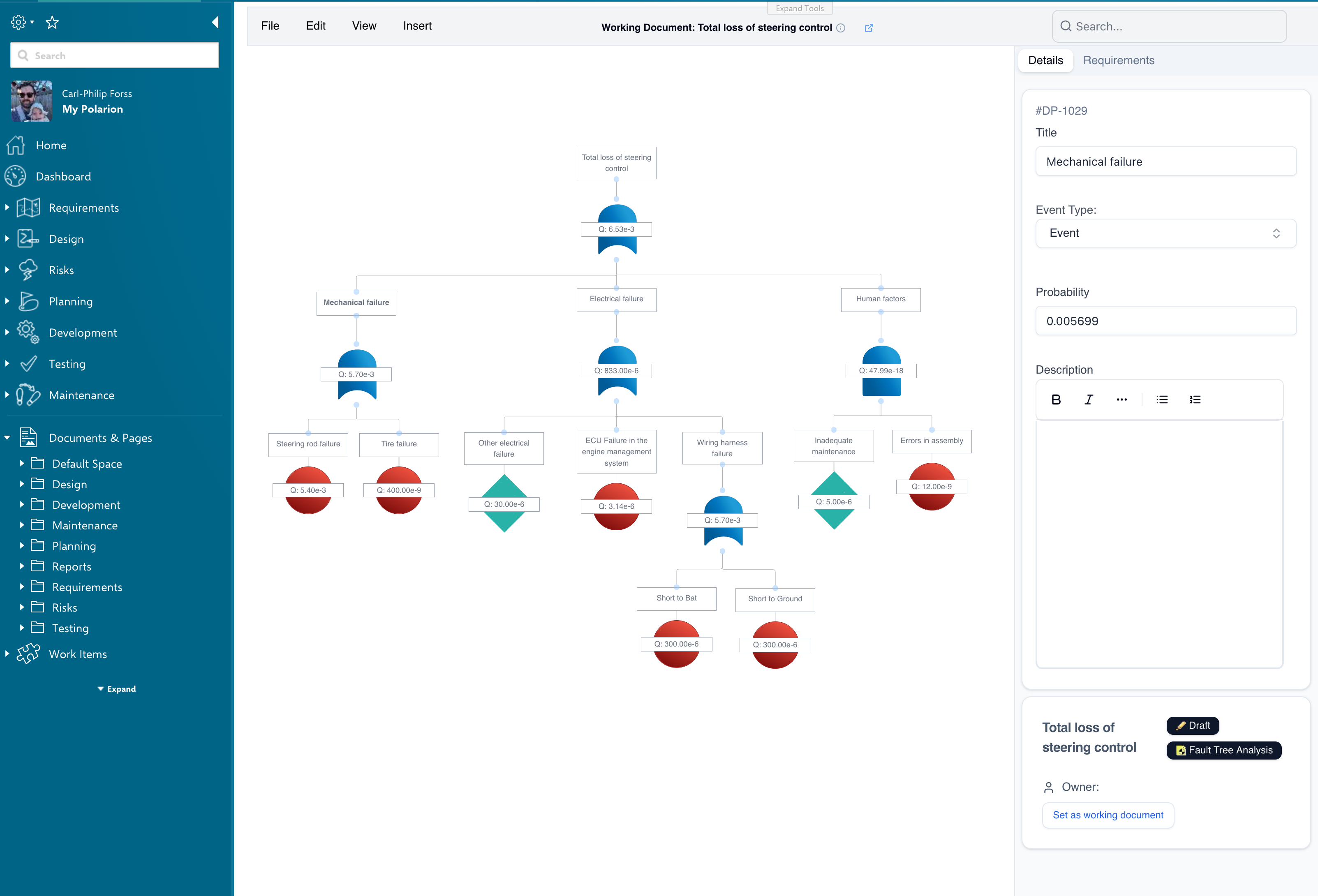
What You Get
Everything your team needs to perform fault tree analysis without leaving Polarion.
Eliminate External Tools
Stop exporting data to standalone FTA software. Build and analyze fault trees directly inside Polarion, using the same work items and documents your team already manages.
Standard-Compliant Analysis
Perform fault tree analysis that meets industry safety standards. AND/OR gate logic, event classification, and structured analysis methodology built right in.
Instant Visual Clarity
See your entire failure analysis as an interactive, well-organized diagram. Automatic layout keeps even large fault trees readable and easy to navigate.
Probability Calculations
Automatic probability assessment across the entire fault tree structure — no separate calculators, no spreadsheets. Every gate and event contributes to a live, end-to-end probability rollup.
Full Traceability
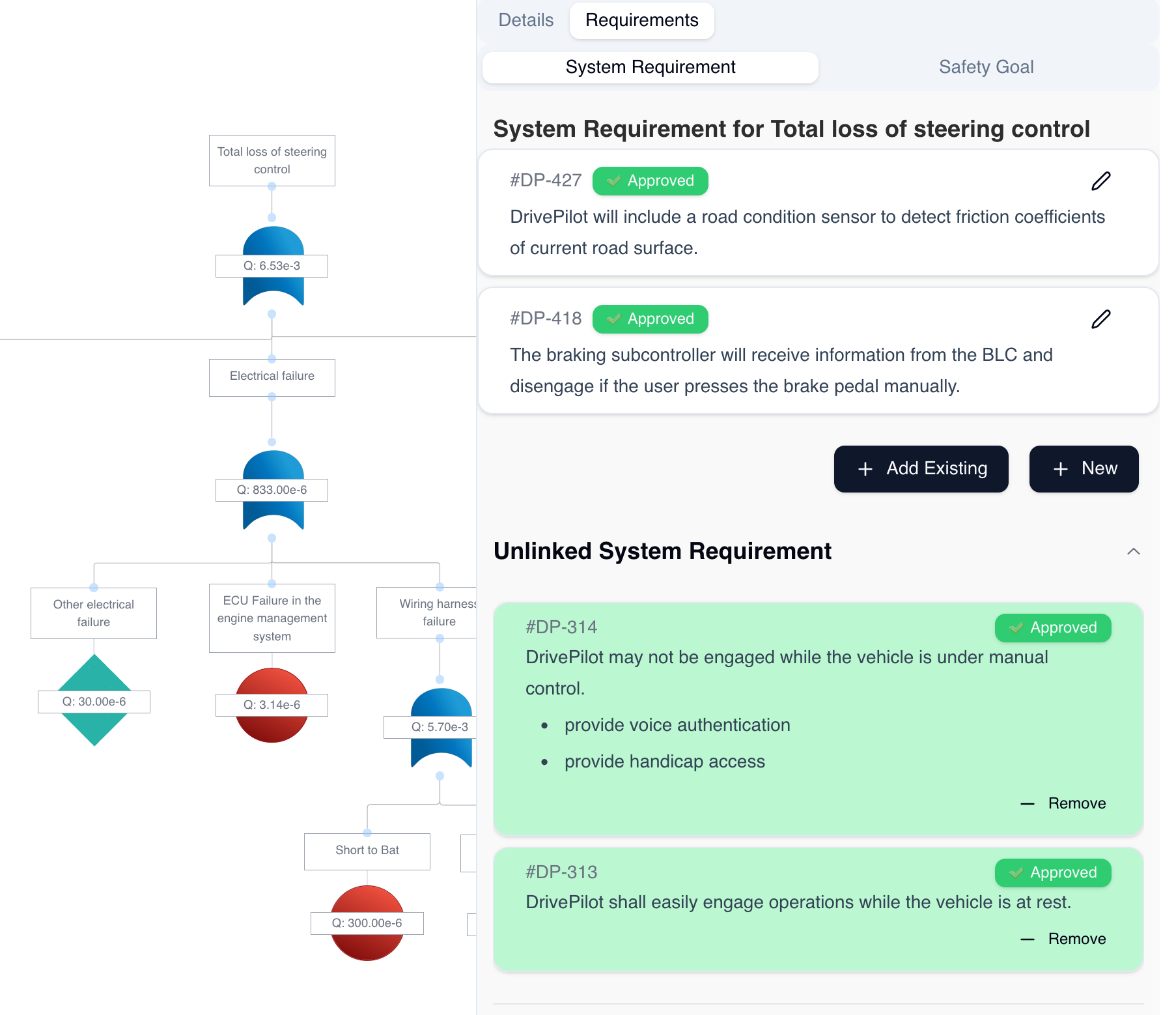
Every gate and event in your fault tree links back to Polarion work items. Trace from failure modes to requirements and back with one click.
Share with the Whole Team
Every Polarion user can view fault trees at no extra cost. Editor licenses are only needed for the engineers who build and modify the analysis.
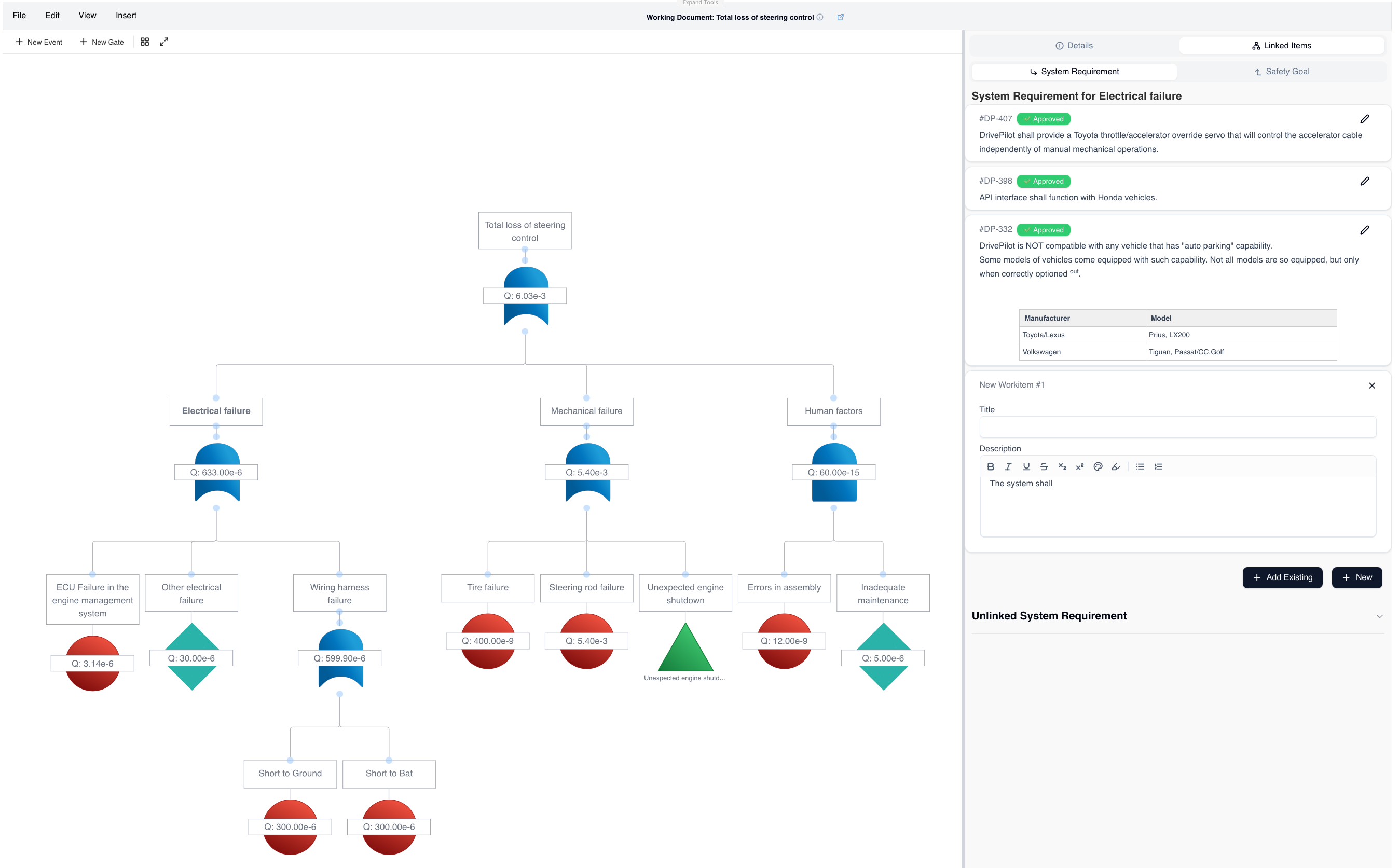
Full Traceability to Requirements
Every event in your fault tree links directly to Polarion work items. Trace from failure modes to system requirements and safety goals with a single click — no manual cross-referencing needed.
Link to existing work items — connect fault tree events to requirements, safety goals, and test cases already in Polarion.
Probability calculations — automatic probability assessment across the entire fault tree structure.
Audit-ready — full version history and review workflows built into Polarion's auditable environment.
Built for Safety Engineers
Designed for the workflows and standards that matter most in safety-critical industries.
Safety-Critical Product Development
Meet functional safety requirements (ISO 26262, IEC 61508, etc.) with structured fault tree analysis that is fully integrated with your requirements and design data.
Risk Assessment & Mitigation
Identify potential failure modes systematically. Understand which component failures lead to system-level risks, and prioritize your mitigation efforts.
Audit-Ready Documentation
Your fault trees live in Polarion with full version history, review workflows, and traceability. When auditors ask for evidence, it is already there.
Analyze, Rank, Validate
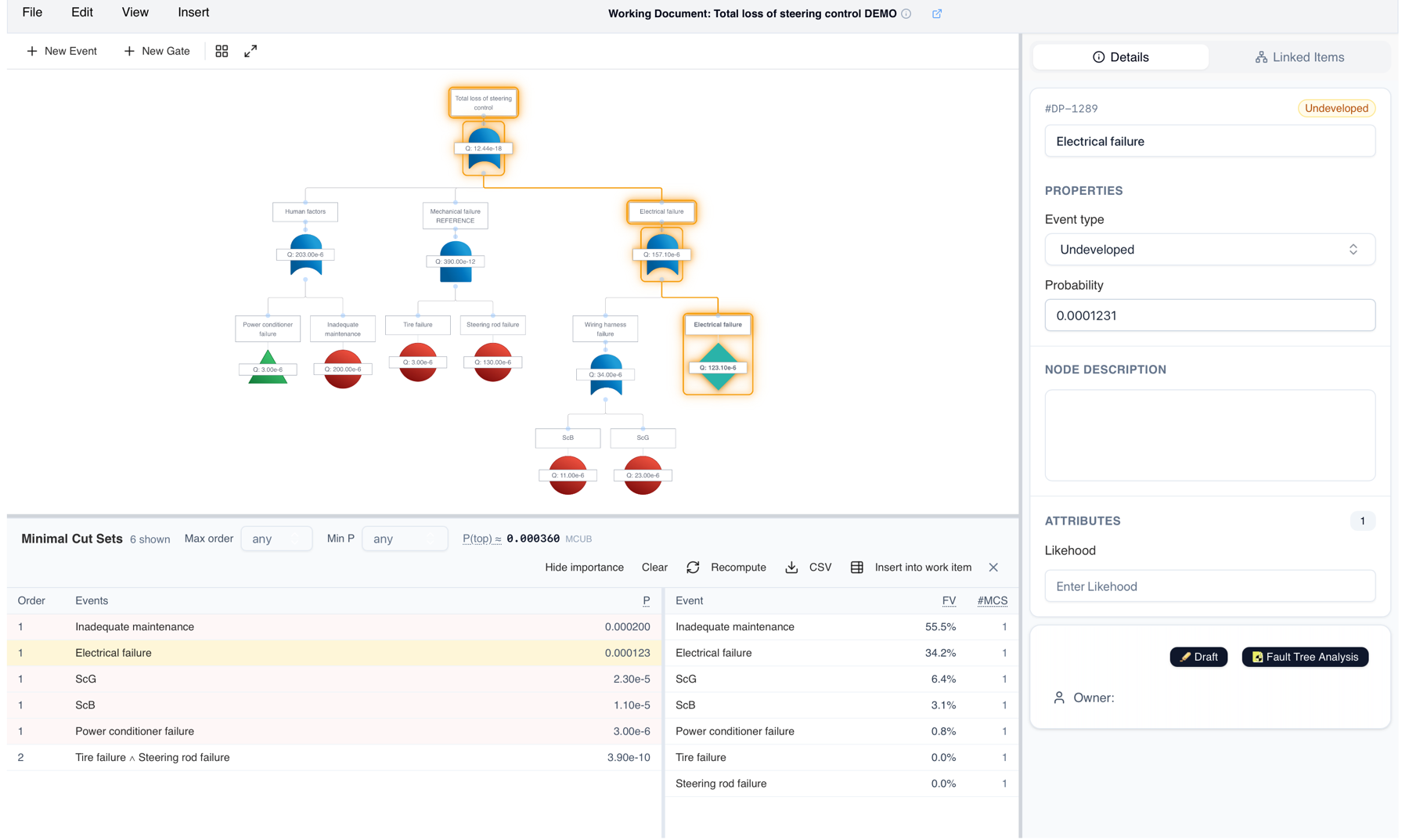
The latest release computes minimal cut sets directly from your fault tree, ranks how much each event contributes to overall risk, and validates the numbers against an independent analysis engine.
Minimal Cut Set Analysis
The tool identifies the minimal combinations of failures that can cause the top event, and ranks how much each event contributes to overall risk. Results appear in a dedicated panel alongside the diagram — no export, no separate analysis tool.
Highlight in context — selecting a cut set highlights it directly in the fault tree diagram.
Importance ranking — see which events drive the top event probability, and filter by cut set order or probability.
Keep it with the record — insert the full cut set table into a work item, or export it as CSV.
Independently validated — cut sets, probabilities, and importance measures are cross-checked against an established fault tree engine across a suite of reference trees, so the numbers behind your safety case hold up to outside scrutiny.
Also in 26.2
Pick transfer-in events from a tree view of the source fault tree — no work item IDs to look up.
Right-click context menu on the diagram — copy, paste, delete, select a subtree, or switch a gate between AND and OR.
Export diagrams as images — save them, or attach them straight to the description of an event.
Select several nodes at once with cmd-click or a selection rectangle on the canvas.
Recently Added
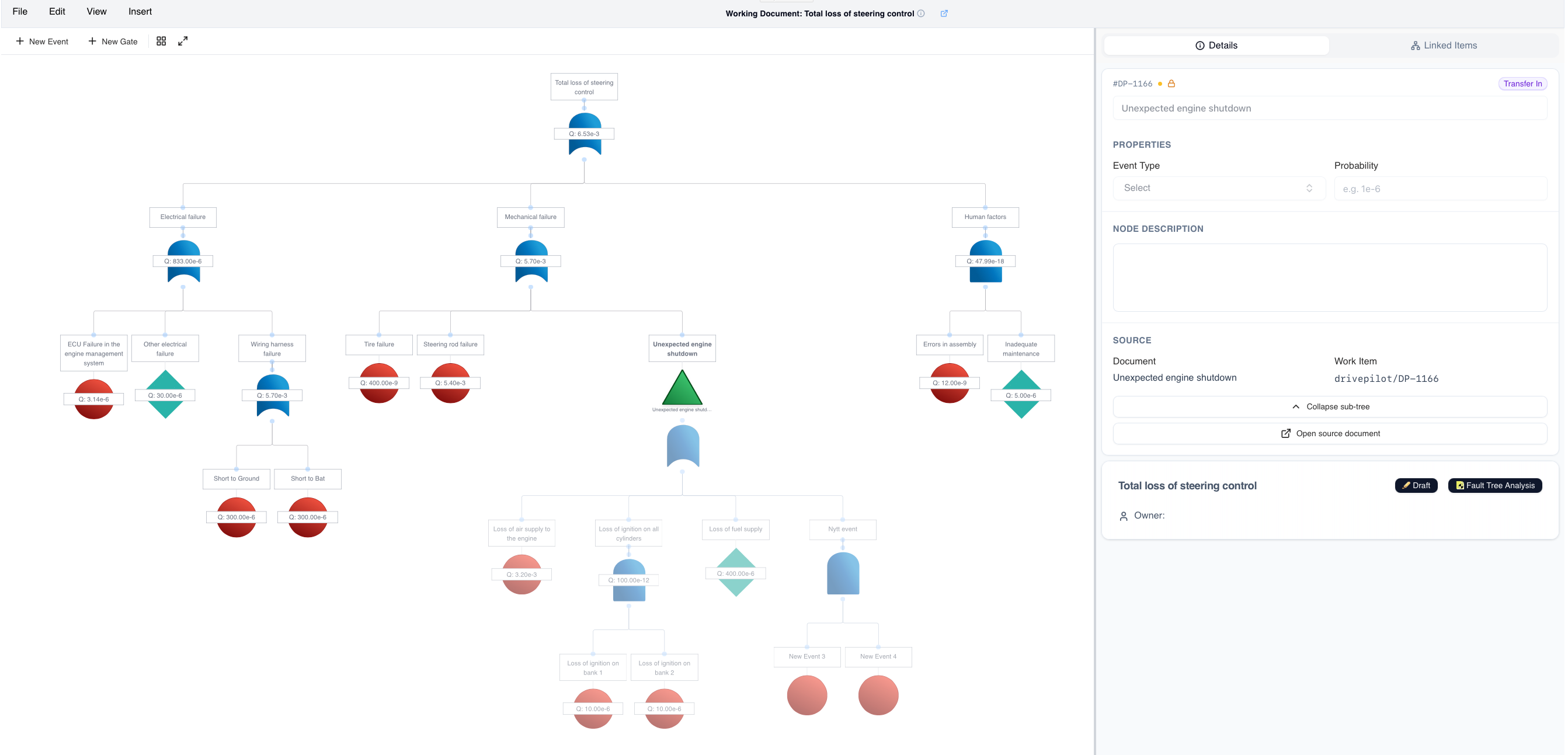
Transfer-In Nodes
Reuse entire branches from another fault tree without copying — keeping a single source of truth for shared failure modes.
In-App Configuration
Set up types, link roles, fields, and linked items right inside Polarion — and reuse the same configuration across projects.
Simple, Transparent Pricing
Choose the plan that fits your team. Every plan includes viewer access for all Polarion users.
Editor licenses let your engineers build and modify fault trees
What's Included
Viewer access for your entire team
Complete backend setup and configuration
Guided installation and onboarding
Priority support for critical issues
Regular updates and new features
Ready to bring safety analysis into Polarion?
Join engineering teams who have eliminated standalone FTA tools and unified their safety analysis workflow.
Get Started